
Document ProductivityStatus: Currently Building
MộcPDF
Your documents do not go anywhere.
Offline PDF tools and Vietnamese OCR for work that must stay on your device.
Files are processed entirely on your computer. Nothing is uploaded.
Engineer • Builder • Product Maker
VPbuild leads a portfolio of tools for construction, documents, enterprise workflows and everyday life.
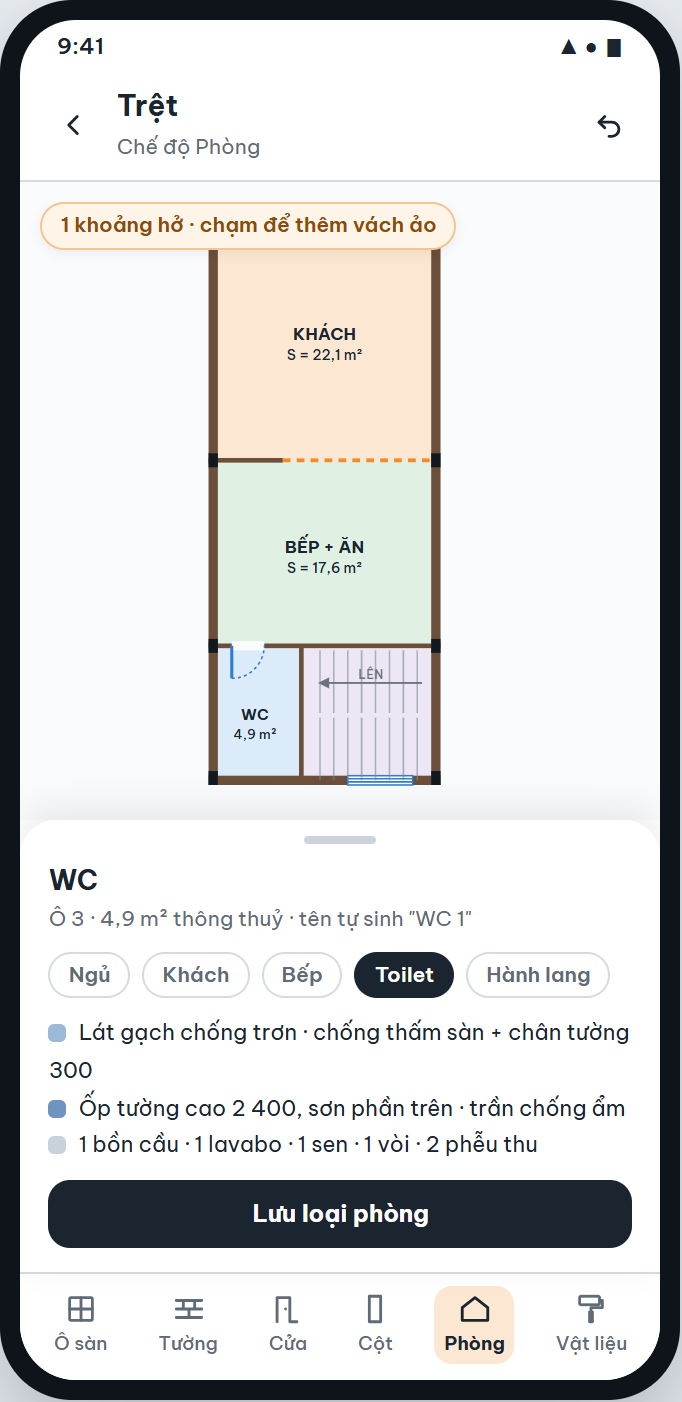
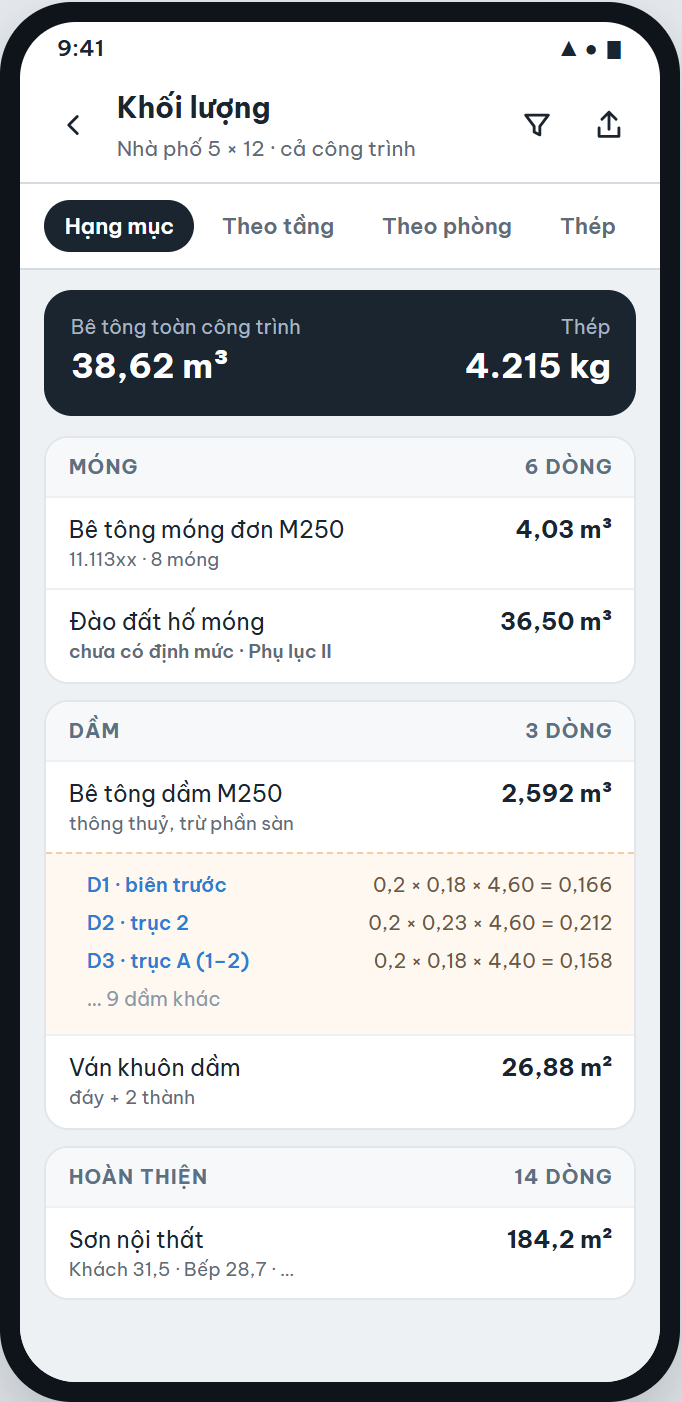
VPbuild interface concept, September 2026. Figures are illustrative.
01Flagship Product · VPbuild
Building quantities are usually measured by hand from drawings and retyped into spreadsheets. When the geometry changes, the measuring starts again, and the final figures lose their link to the elements they came from.
Status: AlphaAlpha: the build runs on test devices and is checked against reference quantities. Access is by invitation.
Recorded on Alpha test cases. These are development measurements, not general performance guarantees.
02VPbuild
Build the plan from floor cells typed in metres. Add cells from an edge, and move a vertex to follow a skewed lot boundary.
Place walls, doors and columns on the cells. Closed areas become rooms with clear areas and finish specifications.
Suggest a beam frame, generate foundations from ground-floor columns and declare slab reinforcement runs, then adjust.
Quantities grouped in construction sequence, by floor, by room and for reinforcement.
Every line opens into the elements and dimensions behind it.
Excel workbook in Vietnamese or English, with a warning if any wall face has no material yet.
DXF, PDF, labour, equipment rates and preliminary cost.
03Construction Tools
Many jobs do not need a building model. A foreman ordering materials for one slab, a wall or a staircase needs quick component quantities and a purchase list, but ends up with a calculator, a norms book and a spreadsheet.
No building model required. Construction Tools starts from one component; whole-building geometry and drawings belong to VPbuild.
View Construction ToolsEnter type, dimensions and count for slabs, beams, walls and other components.
Combine several components into one schedule.
Convert measured work into materials using named norms, units and rounding rules.
Apply your own current prices to get quantities to buy and estimated material cost.
04Featured Products
Your documents do not go anywhere.
Offline PDF tools and Vietnamese OCR for work that must stay on your device.
Files are processed entirely on your computer. Nothing is uploaded.
Important lunar dates should not depend on memory.
Vietnamese lunar calendar, recurrence and reminders for important lunar dates.
Day information always shows its reasons, never a single “lucky” verdict.
05Enterprise Solutions
Delivered work includes a confidential payroll workflow for an enterprise client. Client names, partners and internal details are not published.
06Insights
Technical guideQuantity takeoff
A quantity is only useful if someone else can check it. Four links every line of a takeoff should keep, and how to test your own schedule.
· 5 min read
Technical guideMaterial planning
Waste factors, unit conversion and rounding each change what you order. Apply them in a fixed order and write each one down.
· 4 min read
ArticleDocument workflows
Many tools call themselves private. For sensitive files, check where processing runs, what the network sees and what is kept afterwards.
· 4 min read